
PPAP.
Manage Production Part Approval Process (PPAP) submissions, approvals and revisions with Singlepoint PPAP. Automate complex PPAP workflows, maintain tight document control and keep every submission fully traceable from draft through approval.
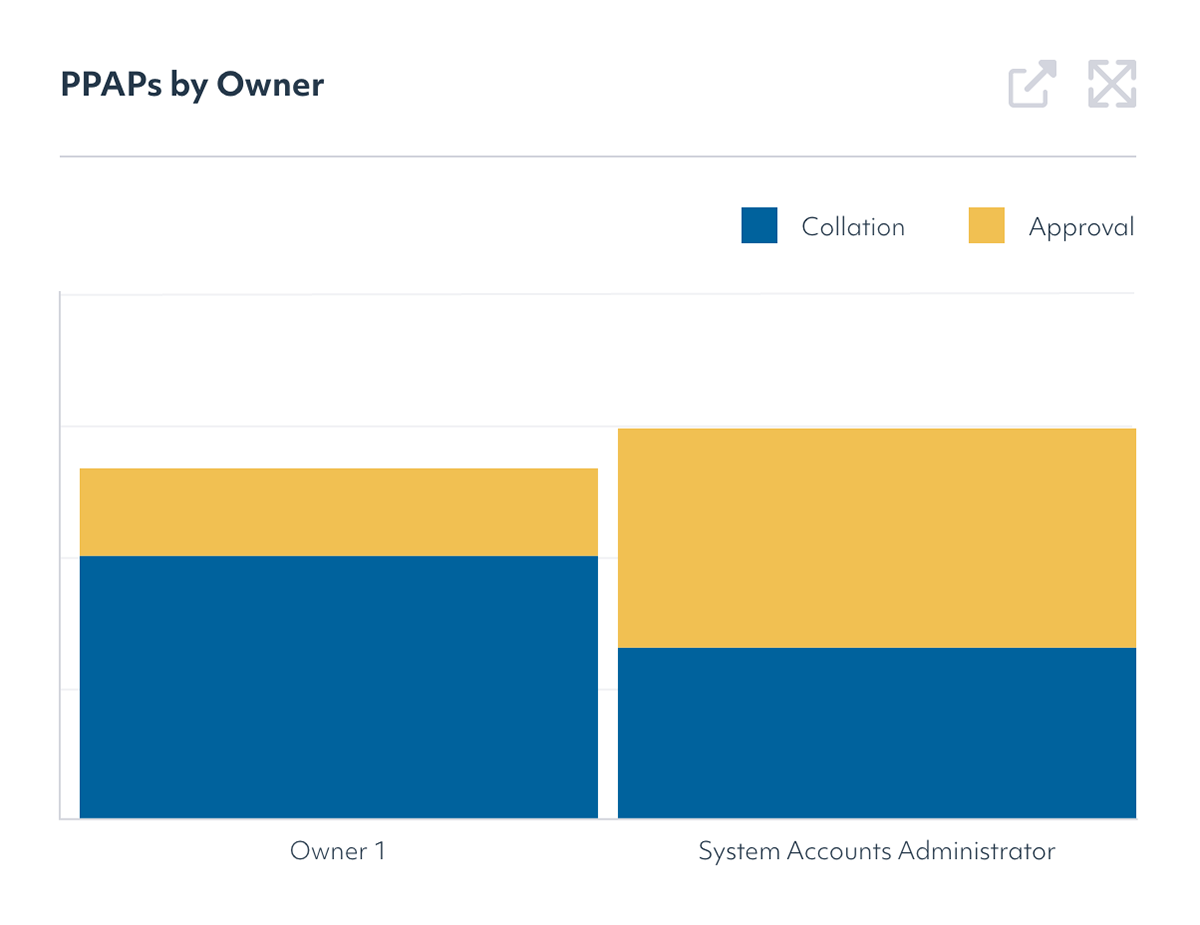
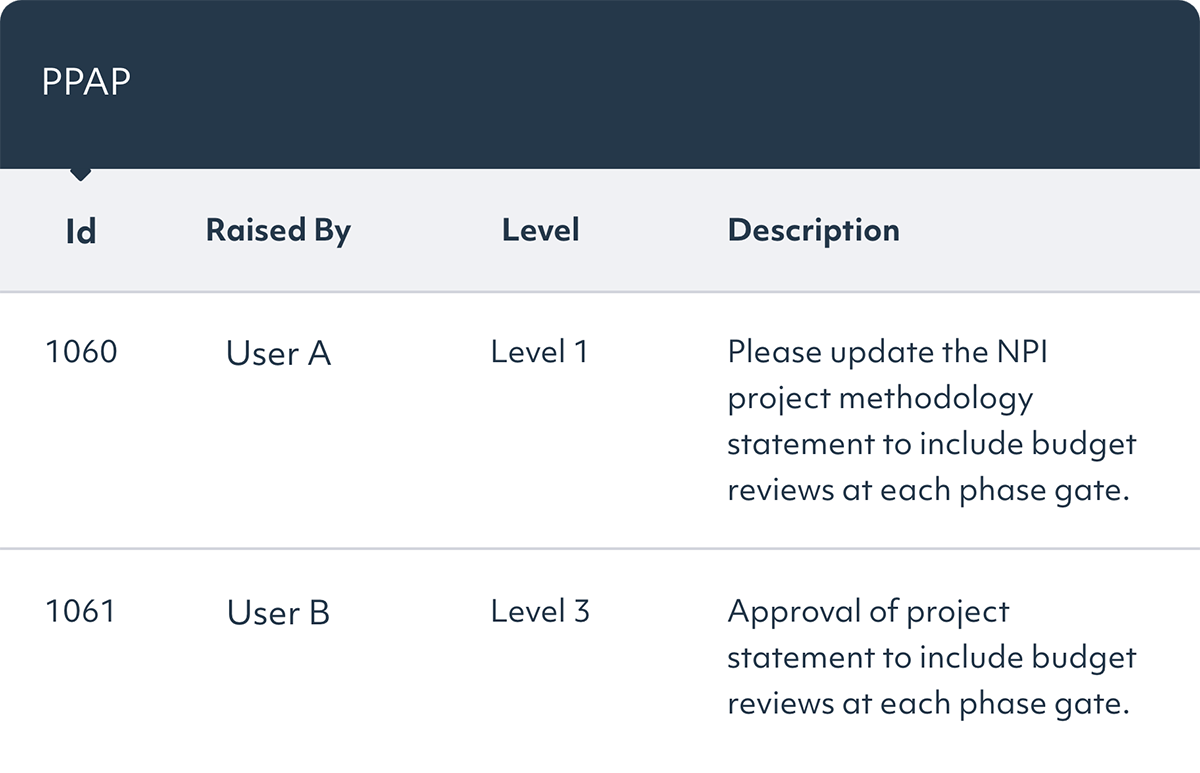
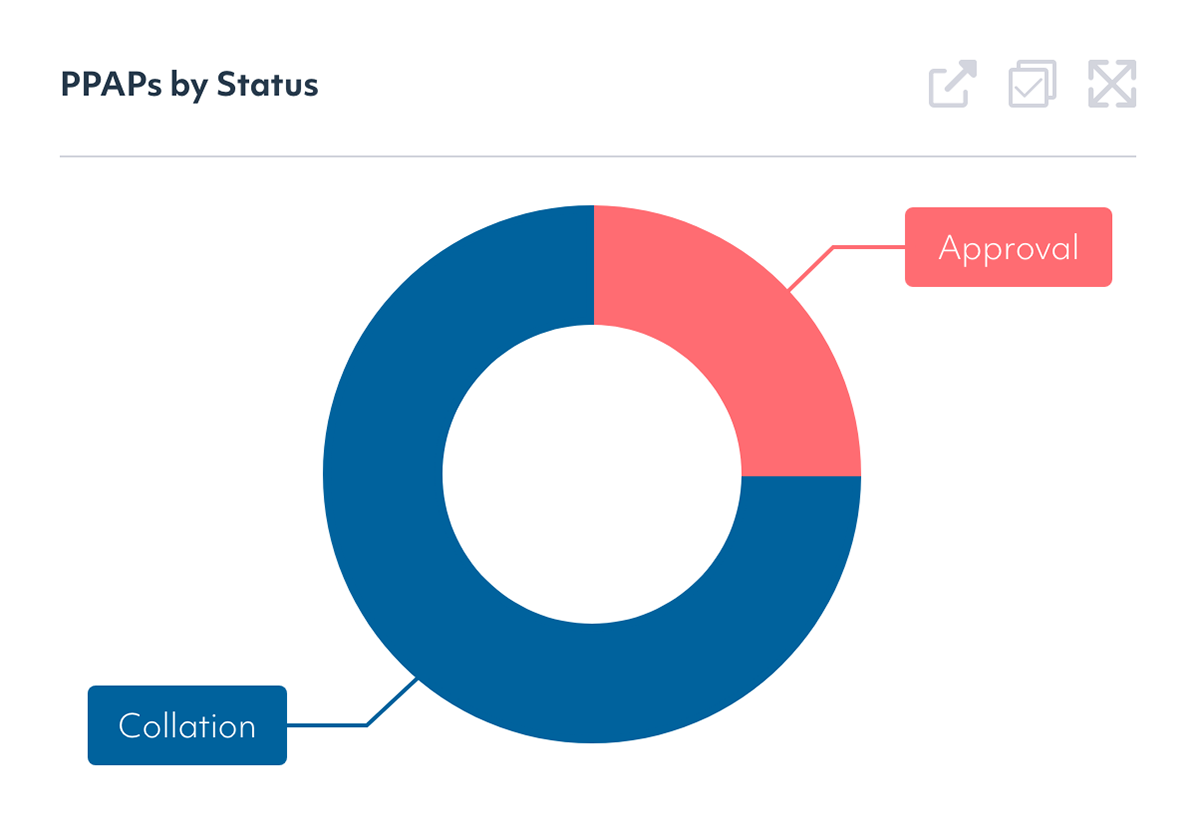
Streamline PPAP management
Bring critical PPAP documentation together in a single, digitized package instead of collating documents from disparate sources. Singlepoint PPAP helps reduce missed data and manual administration while supporting approval and ongoing revision management, with full traceability throughout the process.
Easy template management
Customize templates for various PPAP submission levels, guiding users to compile the exact combination of required documents. This ensures adherence to specific requirements, reducing the risk of incomplete submissions. For improved compliance, task management automatically notifies users and keeps actions "Open" until completed by the appropriate personnel.


Seamless real-time integration
Singlepoint PPAP is fully integrated with Singlepoint Document Management. Browse the Document Management System (DMS) database in your Windows environment to assemble the documents you need. Multiple team members can also collaborate on a single PPAP record in real time.
Powerful workflow capabilities
Each new PPAP record begins life with a draft number and ultimately needs to be approved. Using Singlepoint's workflow capabilities, the PPAP can be routed through either simple or complex workflows. Notifications are automatically sent to users in the approval list, which can include external users.

Control PPAP submissions and revisions
Manage PPAP records beyond initial approval, with flexible submission options and revision control that maintains a traceable history as documentation changes.
Flexible file output options
Once approved, save your PPAP in a PDF zip file, or use the batch print option for manual submissions. Whatever your needs, Singlepoint has you covered.
Future-proof revision control
Subsequent submissions required? No problem. Whether you are submitting a PPAP for the first or multiple times, Singlepoint creates a new revision of the PPAP with all new or updated documents. It also retains all previous versions, providing a complete audit trail for full life-cycle traceability.
Get our QMS fact sheet
Download our fact sheet to learn more about how Singlepoint’s quality management software can help you.
Our case studies
Horizons: From barely visible to ISO 9001 audit-ready
Horizons Incorporated had a document control system, but adoption never spread beyond the core quality team. At audit the answer was technically yes; in practice, most of the workforce did not know it existed. After evaluating six vendors, Horizons chose Singlepoint for its concurrent user licensing, visual navigation, and cross-module traceability. A back-end migration from Waypoint kept implementation to weeks, not months. The result: whole-workforce access without per-seat cost, a complete corrective action audit trail, and a first surveillance audit that impressed an examiner the team had never met. Adoption itself now serves as a live quality signal.

Doncasters Trucast: Strengthening NPI & Audit Governance
Doncasters Trucast, a recognised leader in precision investment castings and turbine components, needed to strengthen governance and traceability within its New Product Introduction process. Operating in highly regulated mobility and aerospace-related markets, the business required a more structured, auditable and scalable approach to gated project management. By implementing Singlepoint’s configurable NPI module, Doncasters Trucast introduced electronic gate approvals aligned to regulatory standards, improving visibility, accountability and compliance. The result has been sustained zero audit findings related to NPI for over three years, alongside reduced administrative burden and improved real-time insight for engineering, quality and customer-facing teams.
FMP: Delivering 4,000 Hours of Efficiency Gains
FMP, one of the UK’s leading manufacturers of medical devices and healthcare products, needed to replace its manual, paper-based processes with a more efficient, compliant system. After evaluating 15 platforms across two review cycles, Singlepoint stood out as the clear leader for its flexibility, scalability and ease of use. By implementing Singlepoint’s document management and training modules, FMP achieved measurable time savings of 4,000 hours per year and significantly improved audit readiness.
Faltec: ERP Integration and Audit Efficiency
Faltec Europe streamlined operations and enhanced compliance by replacing outdated systems with Singlepoint. Discover how seamless ERP integration and centralised document management transformed their digital workflow.
UTAC: Driving Quality and Efficiency with Integrated Quality Management
UTAC UK, a leading provider of powertrain and engine testing services, faced challenges with outdated paper-based quality management processes. Senior Manager Peter Davies sought a modern, integrated solution to streamline operations across multiple sites. By implementing Singlepoint’s adaptable platform, UTAC UK digitised their entire quality management system, including document control, auditing and risk management
HiiROC: Streamlining Quality Management for Rapid Business Growth
“My rule of thumb is if my boss can find what they are looking for quickly, then the system works. With Singlepoint, anyone can now find documents in a few clicks. It has made things very easy for everyone” Keith Renouf, Head of HSEQ.
Amcor: Document Management
“Singlepoint is a very good system for control of documentation. You have everything on the system and it’s user-friendly. Everybody in the company can use it.” – Irene, Quality Systems Manager
Mentholatum: audit-ready under FDA scrutiny
The Mentholatum Company, a US OTC and consumer health manufacturer regulated under cGMP and 21 CFR Part 11, was managing quality documentation on local servers and network drives, with no single system of record, no reliable audit trail, and real exposure to ransomware. After a recommendation from its UK affiliate, Mentholatum deployed Singlepoint for document control across its Orchard Park and Horsham sites. A 2026 cloud migration removed dedicated server hosting and saved over $18,000 a year, while delivering 24/7 access for a three-shift operation. Every operator can now pull up a current, controlled SOP the moment an auditor asks.

Hitachi Rail: Multi-site implementation
Hitachi Rail Europe, Ltd. is a wholly owned subsidiary of Hitachi, Ltd. and a total railway system supplier offering rolling stock, traction equipment, signalling, traffic management systems and maintenance centres.

Gates Power Systems: Visual Navigator
Gates Power Systems enhanced their document management with Singlepoint’s Visual Navigator, linking ‘hotspots’ to manufacturing equipment images for precise document access.
FAQs
What does PPAP stand for, and what is its purpose in automotive supply chain quality management?
PPAP stands for Production Part Approval Process. It provides evidence that a supplier can consistently manufacture parts that meet customer, engineering and quality requirements before production begins.
What are the 18 elements of PPAP, and which are required for each submission level?
The 18 PPAP elements include design, process, validation and approval documents. The specific elements required depend on the submission level defined by the customer.
What are PPAP submission levels 1 through 5, and when does an Original Equipment Manufacturer (OEM) customer require each level?
PPAP levels define how much documentation must be submitted for approval. Requirements vary by customer, part complexity, risk and contractual obligations, with Level 3 being the most commonly requested.
Can Singlepoint PPAP store all associated documentation, including control plans, Measurement System Analysis (MSA) reports, dimensional results, and material certifications, alongside the PPAP record?
Yes, Singlepoint PPAP can store and manage all supporting documentation against a PPAP record, providing complete traceability and easy access during reviews and audits.
How does PPAP software support IATF 16949 and Customer-Specific Requirements (CSRs) for Production Part Approval?
PPAP software centralizes documentation, approvals, workflows and records. This helps ensure submissions meet IATF 16949 requirements and customer-specific expectations while maintaining full traceability.
Our OEM customer has requested a Level 3 PPAP submission for a new part number. What does PPAP management software do to help coordinate and compile all the required elements?
It centralizes required documents, tracks completion status, manages approvals and provides visibility into outstanding tasks. This helps ensure all Level 3 PPAP requirements are completed before submission.